A Notion workspace for architecture students

Arch School Workspace

Studio, theory, readings, and deadlines pile up fast, and staying organized becomes a challenge in itself. Most students turn to productivity templates and end up with one more thing to manage. This is the opposite: a small, connected system, refined through years of real use and built to stay simple.

Your own copy of the workspace, yours forever
Guided onboarding course · 4 modules · 19 lessons
1 year of course access
1 year of free updates
Built in Notion, on desktop, web and mobile
Arch School Workspace works through your bachelor's and master's, in:
Architecture
Interior Design
Landscape Design
Urban Design

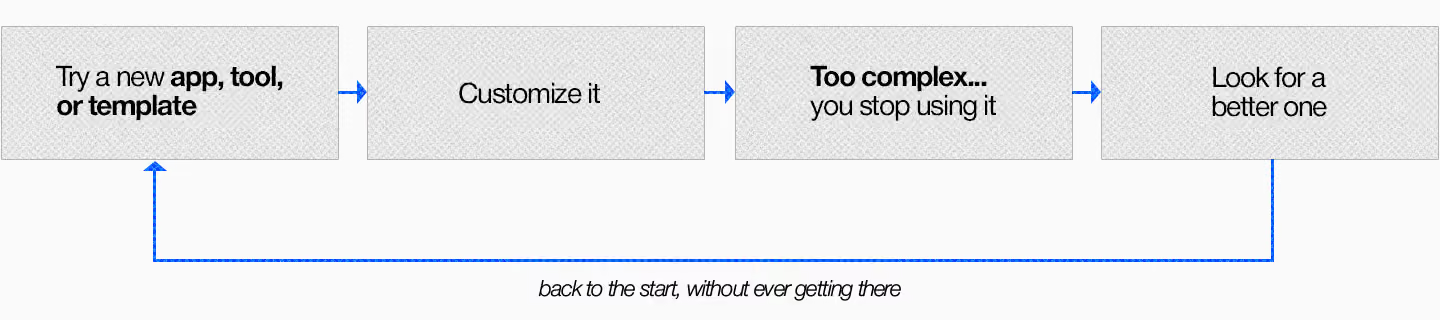
When the system gets in the way

Most productivity templates promise to keep you organized, but they show up stuffed with features nobody asked for.
The system

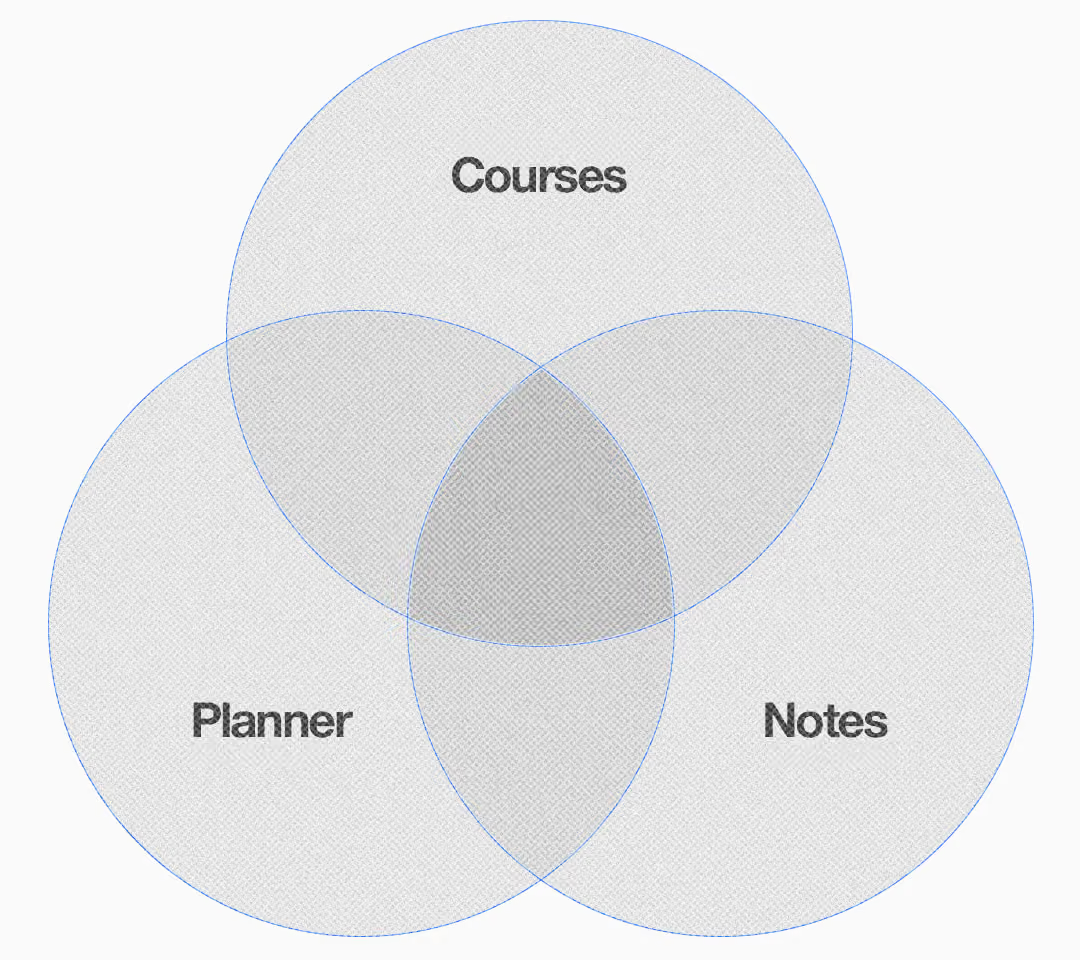
Three parts. That's it.

A minimalist organization system for architecture students, built in Notion.
Most tools pile on features you'll never touch. This one keeps only what you'll actually use: your courses, your planner, and your notes, all linked together as one system.
The core idea

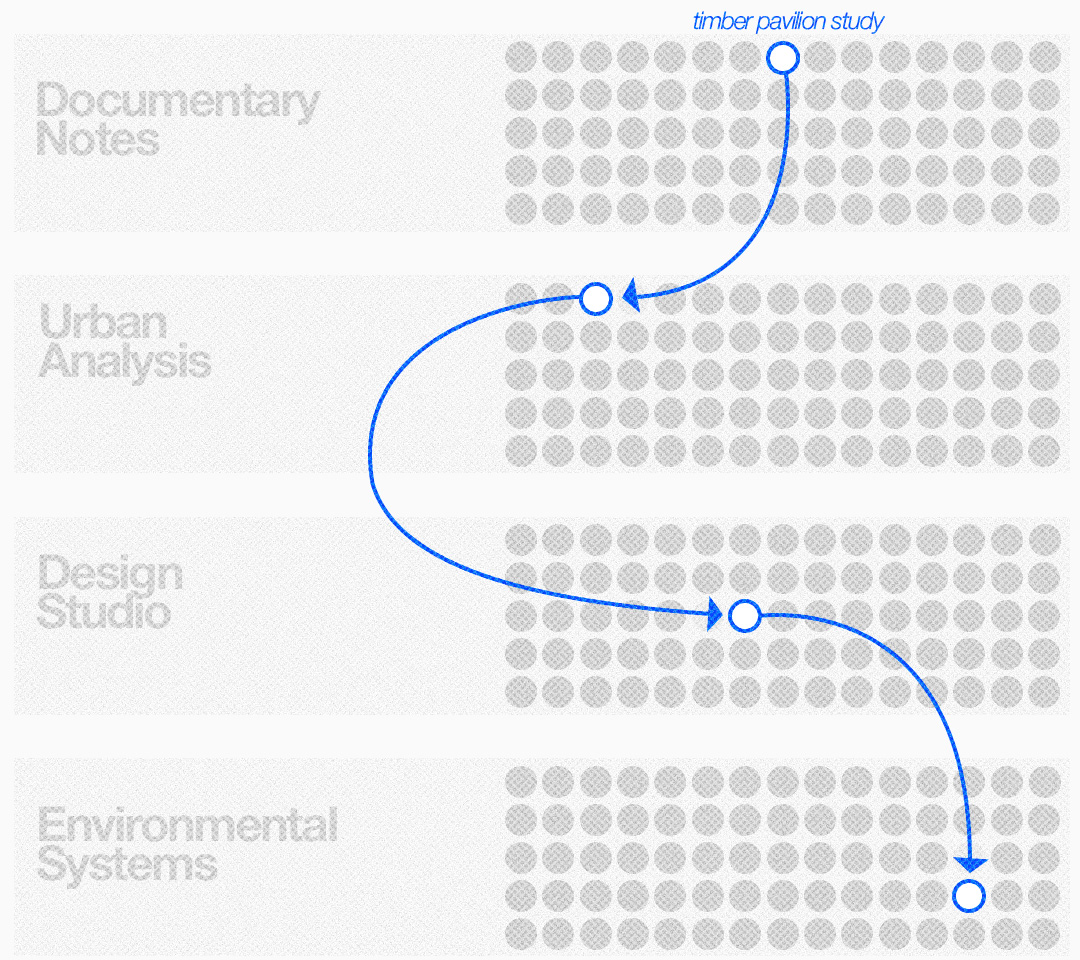
One task, connected everywhere

The whole system runs on one simple piece.
A task can be a note, a theory assignment, or a studio project. You link it once to everything it relates to, so it lives inside a class, a deadline, and a project at the same time. You stop retyping the same thing into three different places.

Arch School Workspace runs on Notion --

Works everywhere you do

Notion is free and syncs across desktop, web, and your phone, so your planner and notes follow you from studio to the library.

Your own copy

Duplicate it once and it's yours, loaded with the courses, planner, and notes structure ready to go. No access that expires.

Shaped around how you work

Keep it exactly as it comes, or rearrange it around your own courses, projects, and habits.

But... you don't need to master Notion

Learn the essentials, and the whole system opens up.
Notion is powerful, and that's what makes this workspace work. You don't need all of it, though. The onboarding course covers the essentials that matter here and takes you from your first time in Notion to running your whole semester on top of your work.

Onboarding course

Everything you need to make the workspace yours.

A short course that gets you comfortable from day one. Go at your own pace, and revisit any lesson whenever you need a refresher.

We partner with people who bring real value. For this one, that's Gui, an architect who cares about what we do, and who built this specifically for Upstairs.
Meet the maker

Hi, I'm Gui

I studied architecture and worked as an architect for years, so I know how messy a semester can get: studio, theory, readings, and deadlines all fighting for space. I built this system to get my own school life under control, and kept refining it until it just worked.
These days I run my own visualization studio, CampoViz, but this is the version I wish I'd had as a student.
8+ years
as an architect
CampoViz
founder, visualization studio
Notion
daily user & builder

What students say

Real students, using it through real semesters.

Explore More Testimonials

I'm in my final year and going back with the notes for the past years trying to fill it up. That says everything really. It really feels like it was built by someone that went to architecture school... that's something not everyone understands.

Placeholder profile photo of an architect.
Sofia B.
Arch School Workspace

The one task that links to every part of the system is really nice to have. My site analysis shows up in studio and in my theory class without me copying anything. Small thing but it's what made me keep using it. Great pricing also for the amount of value it delivers.

Placeholder profile photo of an architect.
Jan H.
Arch School Workspace

I stopped losing my notes and more importantly I feel like now I have a place to concentrate everything. Wish I had this in first year.

Placeholder profile photo of an architect.
Tobias P.
Arch School Workspace

I never used Notion before and was kind of scared of it lol. But the onboarding walks you through everything. Very simple now that I got this basic knowledge. 10/10

Placeholder profile photo of an architect.
Daniel Quinteros
Arch School Workspace

Honestly this saved my semester. That's it, that's the review.

Placeholder profile photo of an architect.
Marina Silvy
Arch School Workspace

I was really skeptical because I've tried like a million Notion templates and always gave up after a week because they were too complicated. This one is different because it's made for architecture. It's simple enough that I actually kept using it, and the course made setup so easy, I was done in one afternoon. I use it every single day now for studio, my deadlines, all my class notes, even stuff outside of school but that is related to my course. The fact that everything connects is what got me. Thank you so much Gui and the Upstairs team!

Placeholder profile photo of an architect.
Ana Luiza H.
Arch School Workspace